














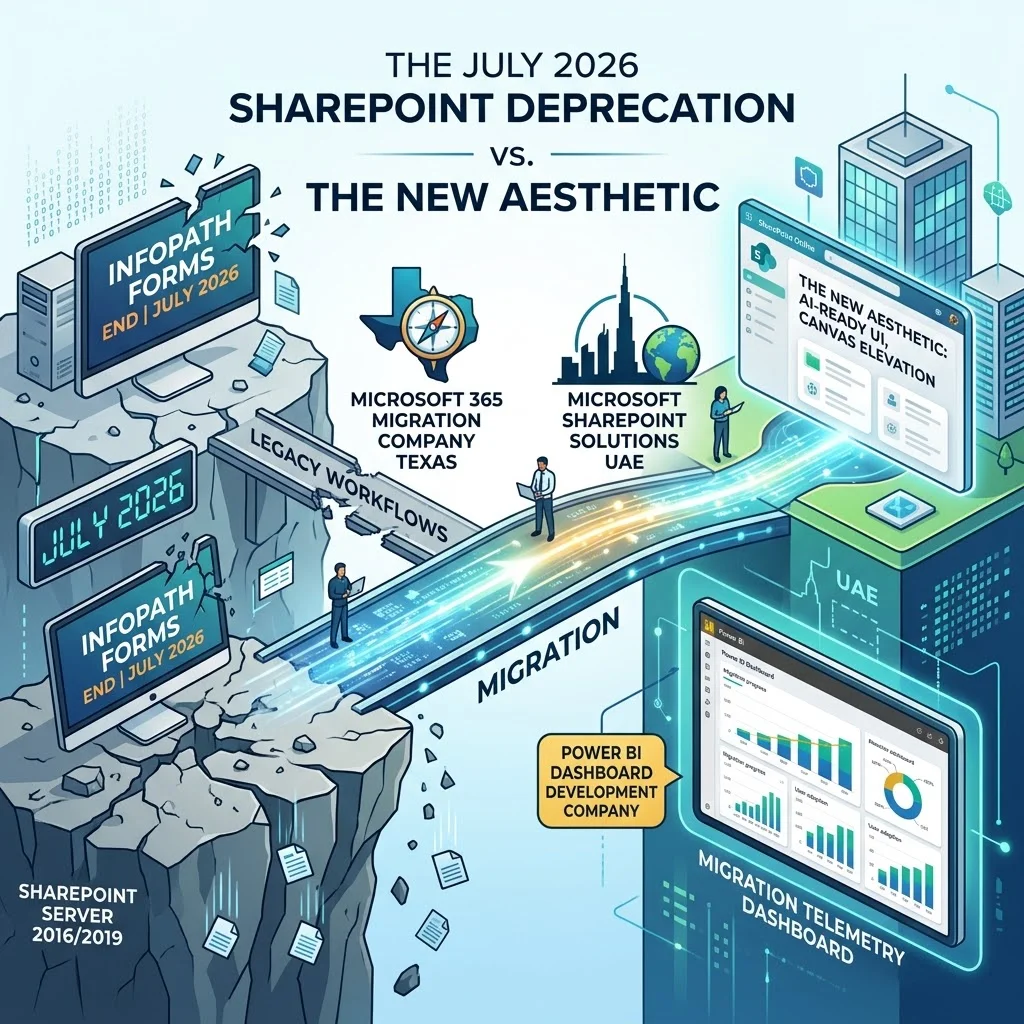
SharePoint: The July 2026 “Deprecation Cliff” vs. The New Aesthetic
On July 14, 2026, extended support for SharePoint Server 2016 and SharePoint Server 2019 permanently ends [1.1.2]. After this exact date, Microsoft will no longer ship security patches, feature updates, or provide technical incident support for either platform [1.1.2].
This is not a hypothetical risk. If a new vulnerability is discovered in the product on July 15, 2026, it will remain unpatched forever on those versions [1.1.2]. For organizations handling sensitive client data or running complex custom solutions, operating an unpatched server is an unacceptable risk.
2. The Final Death of InfoPath Forms Services
InfoPath has been on life support for years, but July 14, 2026, is the day Microsoft pulls the plug completely [1.2.2]. InfoPath Forms Services is being removed from SharePoint Online for all tenants [1.2.2].
If your HR onboarding processes, IT support tickets, or procurement requests are still running on InfoPath, they will simply stop rendering and submitting [1.2.2]. The fix for a broken InfoPath form after this date is no longer an InfoPath fix—it is a mandatory, emergency rebuild in Power Apps [1.2.2].
3. The Retirement of Classic SharePoint Alerts
Perhaps the quietest but most disruptive change for standard end-users is the full retirement of classic SharePoint Alerts [1.1.1]. The traditional “Alert Me” functionality that triggers when a document is modified is being deprecated [1.1.1]. Microsoft is forcing a shift away from these legacy alerts toward modern, dynamic routing. If you have users relying on these old alerts to track their daily project files, those notifications will soon stop firing [1.1.1].
4. External Sharing Shifts to Entra B2B
Beginning in July 2026, Microsoft is retiring the SharePoint One-Time Passcode (OTP) authentication for external sharing [1.1.1]. All external access is shifting to Microsoft Entra B2B [1.1.1]. If you have external contractors or clients who access your tenant via OTP, they will be denied access unless a corresponding guest account exists in your directory [1.1.1].
The Security and Cyber Insurance Reality
Why is this cliff so rigid? It comes down to cyber insurance and compliance.
In recent renewal cycles, cyber insurance carriers have started explicitly requiring supported versions of core business platforms [1.1.2]. Policies written in 2026 commonly include endorsements that deny coverage for incidents traced to end-of-life software [1.1.2].
If your organization suffers a ransomware event through an unpatched SharePoint 2019 server after July 14, 2026, your carrier may view that as an exclusion [1.1.2]. That clause turns a recoverable financial loss into a complete write-off. This is why IT admins cannot afford to simply “wait and see.”
The Silver Lining: The 2026 Visual Refresh
Now for the good news. While the backend is forcing your hand, the frontend is delivering a massive reward. The 2026 Visual Refresh is rolling out, and it finally makes SharePoint look like a premium, modern workspace.
If you are accustomed to building out custom WordPress sites with Elementor, or writing custom CSS to make a page look halfway decent, you will appreciate what Microsoft has done here out-of-the-box.
Canvas Elevation and Depth
The flat, lifeless design of legacy SharePoint is gone. The new aesthetic introduces “canvas elevation”—subtle shadows, depth layering, and rounded edges that separate web parts from the background. It mirrors the modern UI trends you see in high-end SaaS platforms, providing a tactile, app-like feel that naturally guides the user’s eye to high-priority content.
Neutral Theming and Typography
Past iterations of SharePoint heavily relied on bold, overwhelming brand colors that clashed with content. The new visual refresh defaults to sophisticated, neutral theming. The typography has been overhauled for better readability, allowing your actual data and imagery to pop, rather than the interface itself.
AI-First Site Layouts
This is the most critical update for teams working on the cutting edge of data. The new layouts are explicitly designed to house Copilot interfaces and Fabric IQ autonomous data agents. Instead of burying your AI tools behind menus, the new SharePoint allows you to embed agentic AI directly into the hero section of your communication sites, turning a static intranet page into an active, querying assistant.
Stop Doing This / Start Doing This
To survive the cliff and embrace the new aesthetic, you need to change how you build. Here is the teardown of what to abandon and what to adopt.
| Feature | Stop Doing This (Legacy Tech) | Start Doing This (Modern Architecture) |
| Notifications | Relying on classic “Alert Me” SharePoint features [1.1.1]. | Building targeted Power Automate push notifications [1.1.1]. |
| Forms | Patching 10-year-old InfoPath forms [1.2.2]. | Rebuilding in Power Apps with Dataverse backends [1.2.2]. |
| Workflows | Building 50-step “If/Then” spaghetti flows. | Deploying Agentic AI that routes dynamically via natural language. |
| External Sharing | Using One-Time Passcodes (OTP) for vendors [1.1.1]. | Provisioning guest accounts via Entra B2B [1.1.1]. |
| Design | Injecting custom CSS to force a modern look. | Using native canvas elevation and modern site templates. |
Executing the Migration: Telemetry, Strategy, and Global Rollouts
Migrating away from the July 2026 deprecation cliff is not a simple “lift and shift.” You cannot migrate legacy workflows or InfoPath configurations directly into the modern experience [1.1.3]. Before you move a single terabyte of data, you need total visibility into your technical debt.
Visualizing the Migration Pipeline
You cannot manage what you cannot measure. Before pulling the plug on legacy systems, your first step should be running the Microsoft 365 Assessment tool to scan your tenant for InfoPath and classic workflow usage [1.2.4].
However, raw logs are useless to stakeholders. You need to map out your tenant’s usage metrics geographically and departmentally. This is where partnering with a specialized Power BI Dashboard Development Company becomes invaluable. By hooking your assessment telemetry into a live Power BI dashboard, you can track exactly which departments are heavily reliant on deprecated features, measure migration throughput, and identify throttling patterns in real-time.
Handling Complex Regional Deployments
For enterprises with a global footprint, migration involves navigating strict data residency laws, complex compliance frameworks, and regional network architectures. You cannot rely on a one-size-fits-all approach.
For US-based operations, engaging a Microsoft 365 Migration Company UAE ensures that your local data remains compliant with North American regulatory standards while smoothly transitioning your custom on-premises solutions to SharePoint Online.
Conversely, for your Middle Eastern branches, you must adhere to localized data sovereignty requirements. Deploying specialized Microsoft sharepoint solutions UAE ensures that your Gulf-region tenant architecture is optimized for local latency, complies with regional mandates, and correctly handles localized Entra B2B external sharing protocols. By segmenting your migration strategy globally, you mitigate risk and ensure uninterrupted business continuity.
The Bottom Line
The July 2026 cliff is a forced evolution. The retirement of InfoPath, SharePoint 2016/2019, and classic alerts will cause immediate operational disruption if ignored [1.1.2, 1.2.2]. But by embracing the migration, you shed years of technical debt. You replace rigid workflows with autonomous agents, and you swap a dated interface for a visually stunning, AI-ready canvas.
The deadline is not negotiable. Start your audit today.